
Guide · Getting started
Your own skills
Short answer
A skill is a short set of instructions that teaches your AI how you like to edit. Put it in Cuddle’s skills folder, and every AI app connected to Cuddle can use it.
What a skill is
A skill is a folder with one text file inside, named SKILL.md. It describes a routine in plain words: your caption style, how loud the dialogue should be, how you like intros built. Your AI reads the list of skills and pulls in the one that fits what you asked for.
Cuddle shares your skills with every AI app it’s connected to, so you write a skill once and use it everywhere.
Cuddle also comes with built-in skills that teach your AI how to use Cuddle itself. They come with Cuddle and update with it, so you don’t need to manage them. Your own skills sit right alongside them.
Make a skill
Open the skills folder. In the Cuddle panel, click Skills, then Open Skills Folder. Cuddle creates the folder if it isn’t there yet. It lives in your home folder, under Library › Application Support › Cuddle › skills.
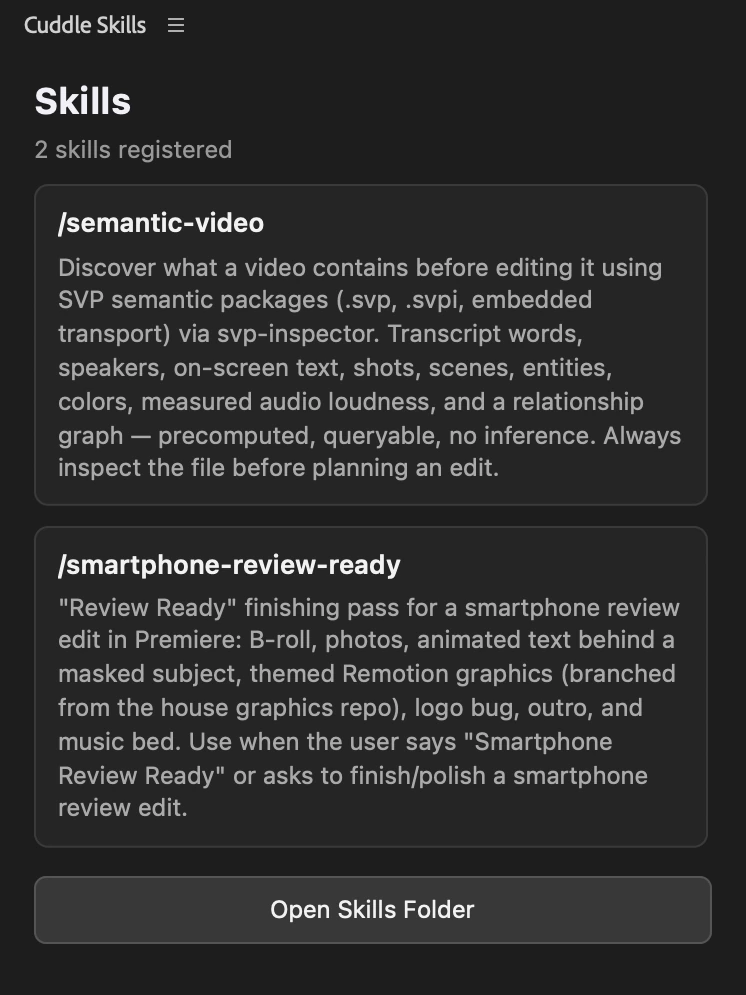
Add a folder for your skill. Name it after the skill, in lowercase with dashes, like podcast-polish.
Write the SKILL.md file. Start with a name and a one-line description. The description tells your AI when to use the skill, so include the words you’ll say. Then write the steps.
Use it. The Skills panel shows your new skill right away. In your AI app, ask for it by name or say the phrase from its description. No restart needed.
---
name: podcast-polish
description: Final pass for our podcast episodes. Use when I say "podcast polish".
---

# Podcast polish

1. Put a title with the episode name at the start, Futura Bold, centered.
2. Add a 12-frame fade in at the start and a 2-second fade out at the end.
3. Add a lower third with each guest's name the first time they speak.
4. Keep the original sequence. Build the polish in a new one.If a skill doesn’t show up
Check that the file is named SKILL.md, that it sits in its own folder inside the skills folder, and that the name and description are each on a single line. If your AI doesn’t use a skill you expected, mention the skill by name.
Ideas for skills
- Your caption style: font, size, and where captions sit
- House loudness targets for dialogue and music
- How you like B-roll framed and how long each shot holds
- An intro and outro routine you repeat on every video
- Effect settings you use often, written out as values
Skills stay when Cuddle updates, and they stay on your Mac even if you uninstall Cuddle. To share a skill, send someone its folder to put in their own skills folder. To stop using one, move or delete its folder.
Stuck on a step? Ask Bear.